November 20, 2024
How to Create a Logo with AI

How to Create a Logo with AI: The Complete Guide to Designing a Logo with Artificial Intelligence
Can you imagine creating a logo for your project in seconds, without spending a fortune on expensive designers? Thanks to artificial intelligence, you can now generate a logo with just a few clicks.
In this guide, I’ll walk you through a super simple process and introduce you to some tools and examples that will help you create your logo with AI.
Ready?
Let’s dive in!
What is an AI-Generated Logo?
An AI-generated logo is basically a design created with the help of Artificial Intelligence. Today, there are plenty of specialized tools like Looka, Logomaster AI, or Canva that guide you step by step in the process. You can even use image generators like MidJourney or DALL·E to create logos with AI.
Why Use AI to Create Your Logo?
If you’re starting a new business or kicking-off a new project, the last thing you want is to complicate things or spend unnecessary money. Creating a logo with AI eliminates all those hassles.
How to Create a Logo with AI: A Step-by-Step Guide to Designing with Artificial Intelligence
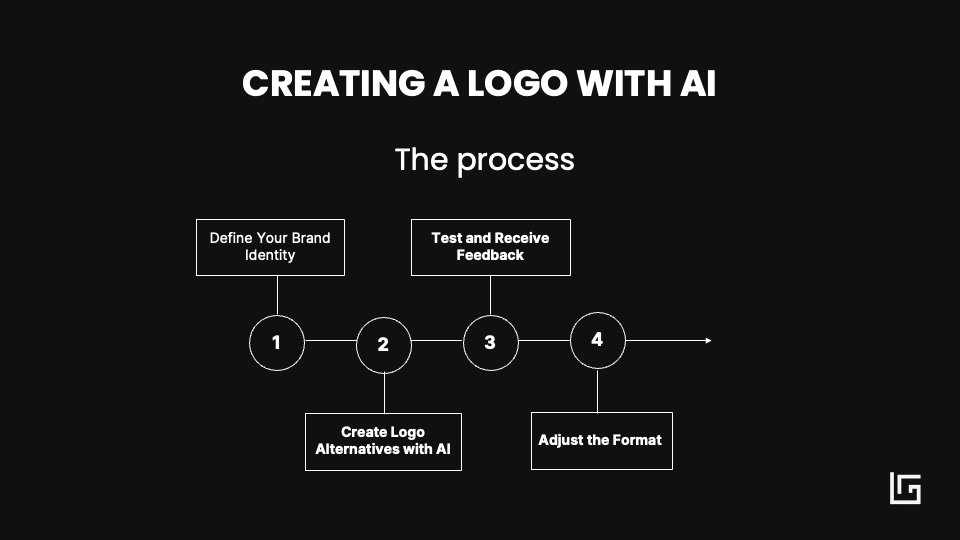
1. Define Your Brand Identity:
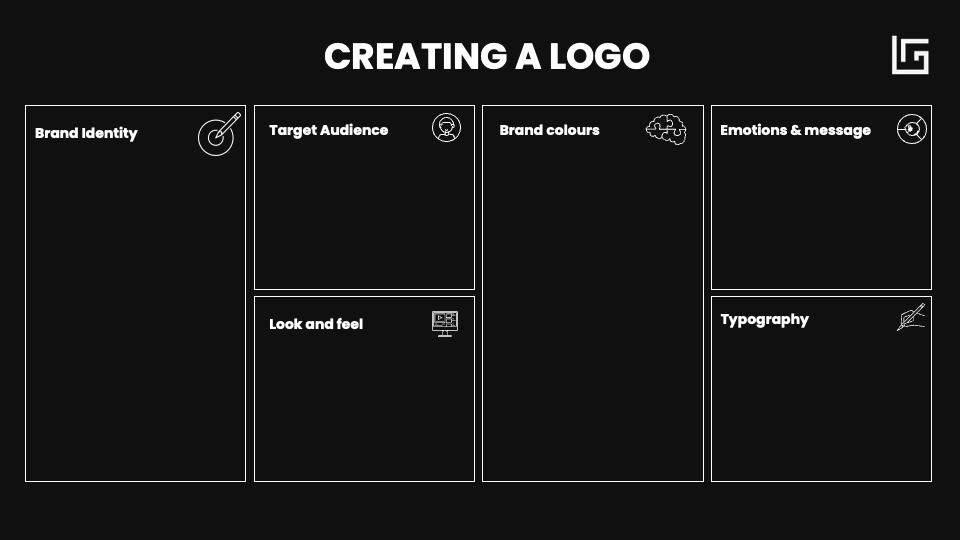
The first step to creating an amazing logo is defining your identity. And to help you get crystal clear on this, I’ll share a design thinking canvas that I use in my own projects.
So, what’s a design thinking canvas?
It’s a visual tool that helps you organize your ideas and approach things creatively. Imagine it as a worksheet divided into sections that guide you through answering essential questions about your project or product.
By filling out each part, you’ll build a roadmap that brings clarity and focus to your creative process in a way that’s practical and people-centered.
These canvases are perfect for group work and are super popular in collaborative innovation sessions.
When it comes to creating a logo with AI, you can map out what you want to tell the AI so it can create something just right for you.
For designing an AI-powered logo, we’ll dive into the purpose, target audience, visual style, colors, and emotions you want to capture. This info becomes our blueprint, guiding the AI to create a logo that aligns perfectly with your brand’s values and vibe.
2. Creating Logo Options with an AI Prompt:
Now that we’ve got the basics down, it’s time to start exploring! We’re going to test out different tools to generate several versions of your logo with platforms like MidJourney or DALL·E. I’ll share a super effective prompt that includes the key elements of your brand—like typography, colors, and any symbols you want to incorporate. This prompt will guide the AI to create logo options that really capture your brand’s essence.
3. Test and Gather Feedback:
Once you have a few logo options generated by AI, take a moment to step back and look at each one. Choose the option that feels most aligned with your brand.
To make the best decision, share the designs with your team, clients, or community to get some feedback. Make sure the final design meets your expectations and brings out the emotions you defined in the canvas.
This feedback will help you land on a logo that truly resonates!
4. Fine-Tune the Format and Create a Mockup:
After gathering feedback, it’s time to polish up your logo! Use tools like Canva or Adobe to adjust the format, making sure you have a transparent version and that you’re applying your brand colors.
Next, create some fun variations of your logo—think different sizes, alternate colors, or monochromatic versions—that you can use across various materials, like presentations, websites, and social media. This gives you the flexibility to adapt your logo to any context!
Now, let’s dive into the AI logo creation process with an example.
1. Defining the brand identity with a design thinking canvas
Example AI logo creation: Share Enterprises S.L
Recently, my partners Bea, Cristina, and I established a holding company called “Share Enterprises S.L.” When it came time to design a logo, I wanted something that captured our shared vision and values.
Let’s see how we apply these principles with the example of Share Enterprises, a brand centered on people, technology, and change.
I’ll take you behind the scenes of the creative process, showing you how I used AI tools to explore different design options and bring our brand identity to life.
– Define What Your Brand Represents
First things first—ask yourself what your brand truly represents. For SHARE ENTERPRISES, we wanted the logo to reflect a commitment to empowering people, driving technological innovation, and enabling meaningful change.
Key questions:
- What does your brand represent?
- What values do you want to convey?
- What makes you unique?
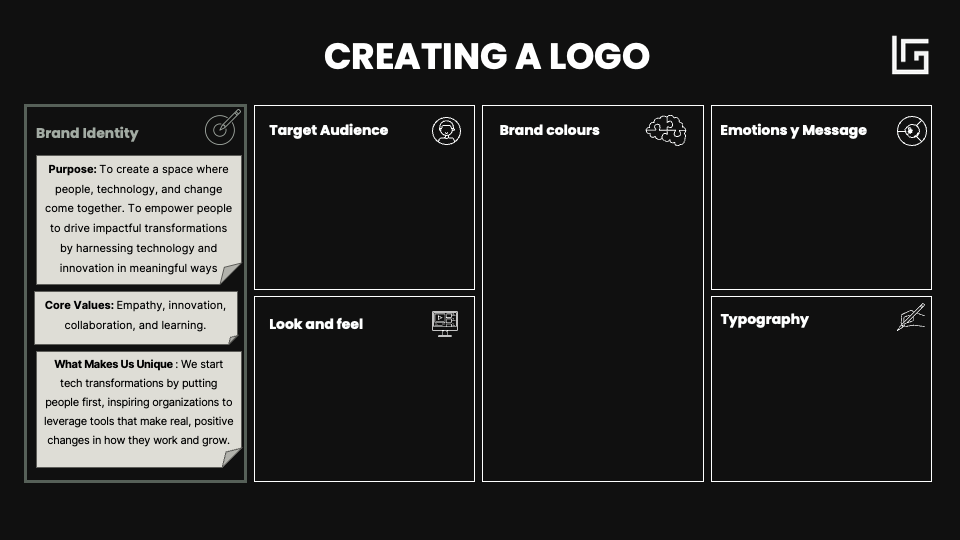
- Purpose:
For Share Enterprises, the purpose is clear: empowering people, driving technological innovation, and enabling transformative change. The mission is to inspire and support organizations in leveraging advanced technology to create meaningful impact and foster growth.
- Core Values:
Empathy, Innovation, Collaboration, Learning, Adaptability: We keep people at the center, finding human-centric technology solutions that make a difference. We create impactful transformations as true partners, growing through continuous learning and staying adaptable to change.
- What makes us unique:
We put people first. We start by understanding human needs, not just tech.
Check our last blogpost, “Crafting a Manifesto with AI” if you need to dive deeper into your purpose.
– Know Your Target Audience
Now, think about who your logo is meant to connect with.
Key questions:
- Who do you want to attract with your logo?
- What interests your audience?
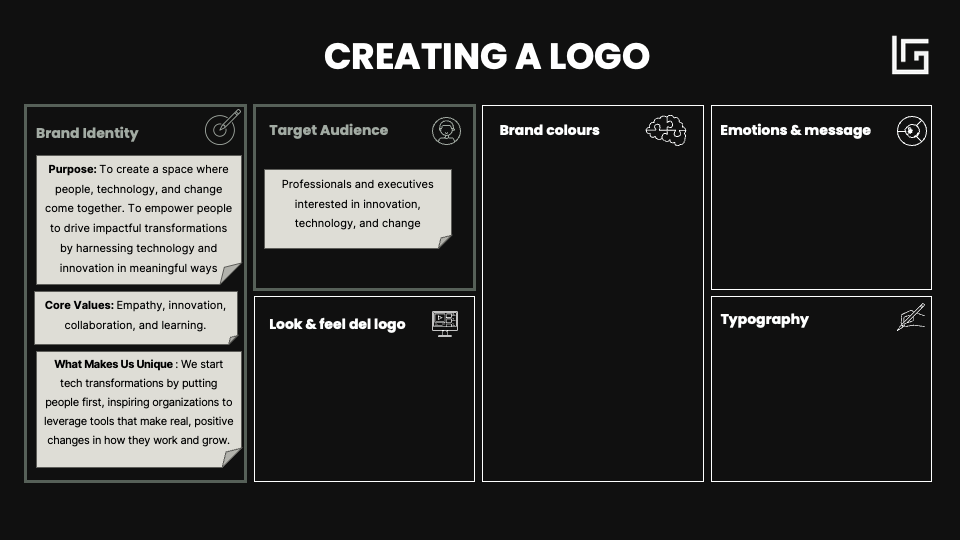
For Share Enterprises, our audience includes corporate professionals who are passionate about technology and innovative solutions. This means our logo should feel professional yet modern, with a touch of creativity to reflect our forward-thinking approach.
– Define the logo’s „look and feel”
The visual style is key to ensuring that your logo not only looks good but also communicates the correct message.
Key Questions:
- What symbols best represent your brand?
- What logo examples inspire you and appeal to you for your brand?
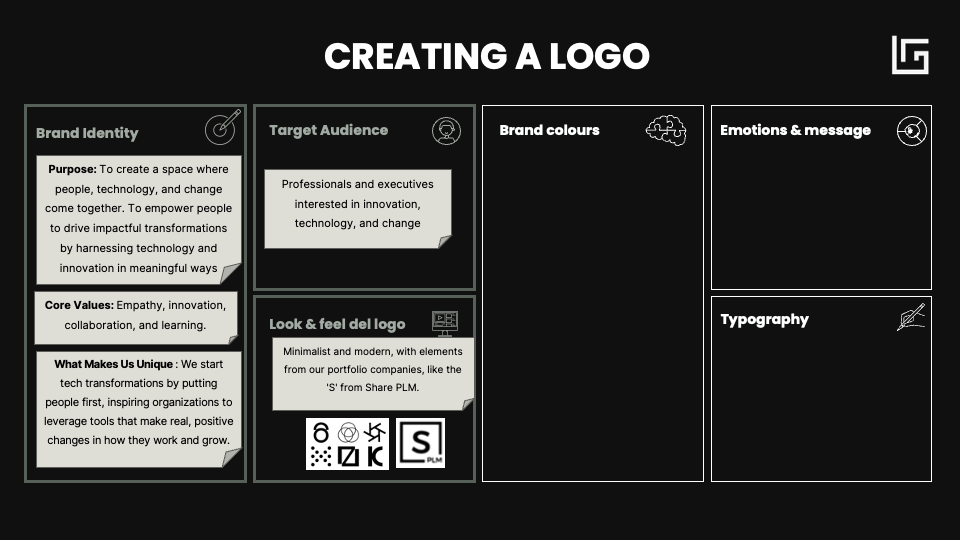
For Share Enterprises, the style needed to be minimalist and modern, using visual references from our portfolio companies, such as the original ‘S’ from Share PLM.
We chose a clean and tech-inspired style highlighting the fusion technology, and humanity.
It is also helpful to have some inspirational images for your AI-generated logo. I also recommend studying the competition to ensure your logo stands out.
In our case, I have taken screenshots of some geometric, black-and-white logos that I like. I’ll keep them as examples for when I discuss the design with the AI later on.
– Choosing Your Brand Colours
The colours you choose for your logo play a big role in how people perceive your brand, so it’s essential to know your colour palette before diving into logo design.
Key questions:
- What emotions do you want your colours to evoke?
- Do the colours reflect your industry or niche?
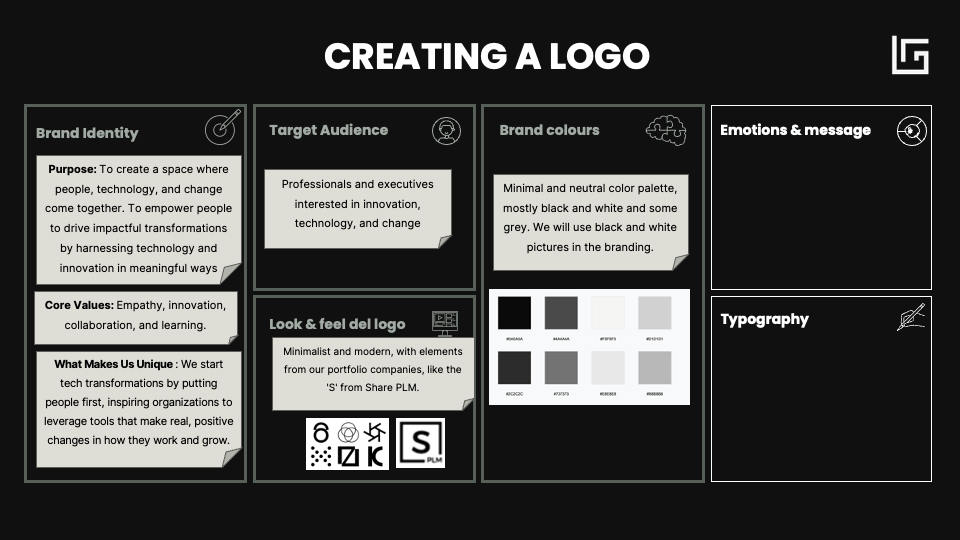
For Share Enterprises, we wanted a minimal and neutral color palette that connects to our roots. These colors were chosen to convey our focus on people, technology, and change.
Pro Tip: If you don’t have a color palette yet, you can use AI to create one! Try this prompt:
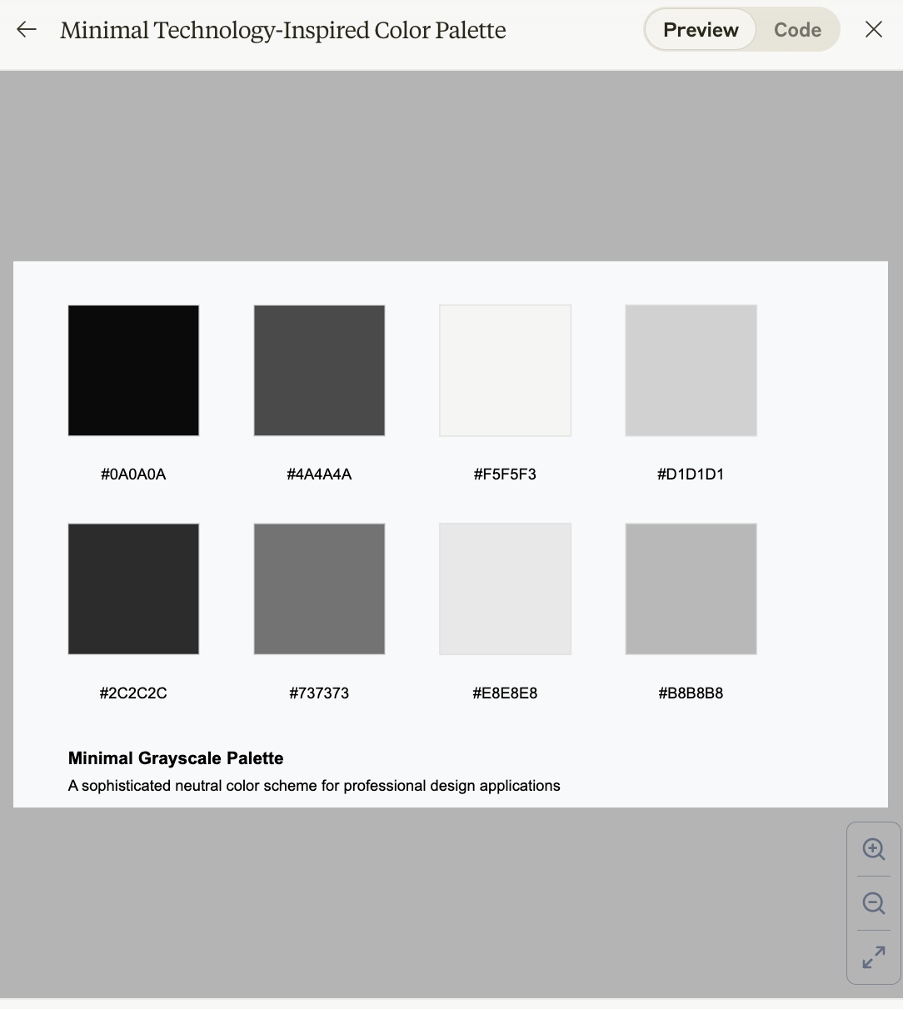
“Create a color palette for a brand that represents [describe your brand identity]. The brand focuses on [list key values, like creativity, innovation, professionalism]. The palette should evoke emotions like [list emotions, such as trust, excitement, calm]. Include [specific color preferences, like shades of blue and green] and make sure the colors feel modern, elegant, and suitable for a [corporate or creative] audience.” I used Claude 3.5 Sonnet to create ours.
– Emotions and message
Now that we have most of the visual references, it’s crucial to define the emotions and messages we want it to convey with the logo.
Key questions:
- What emotions should your logo evoke?
- How do you want people to feel when they see it?
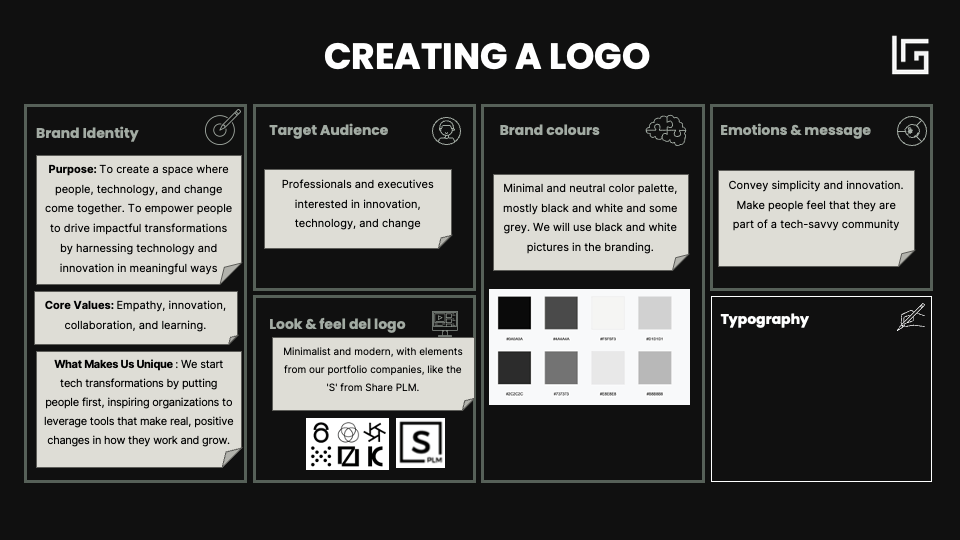
Just like with brands such as Apple, the goal for Share Enterprises is for the logo to convey simplicity and innovation. We want the logo to inspire people and for them to feel like they are part of a community of tech-savvy individuals when they see it.
– Choosing the Right Typography
Typography complements the logo’s aesthetics.
Key questions:
- What type of font best reflects your brand’s tone?
- Is it easy to read in different sizes?
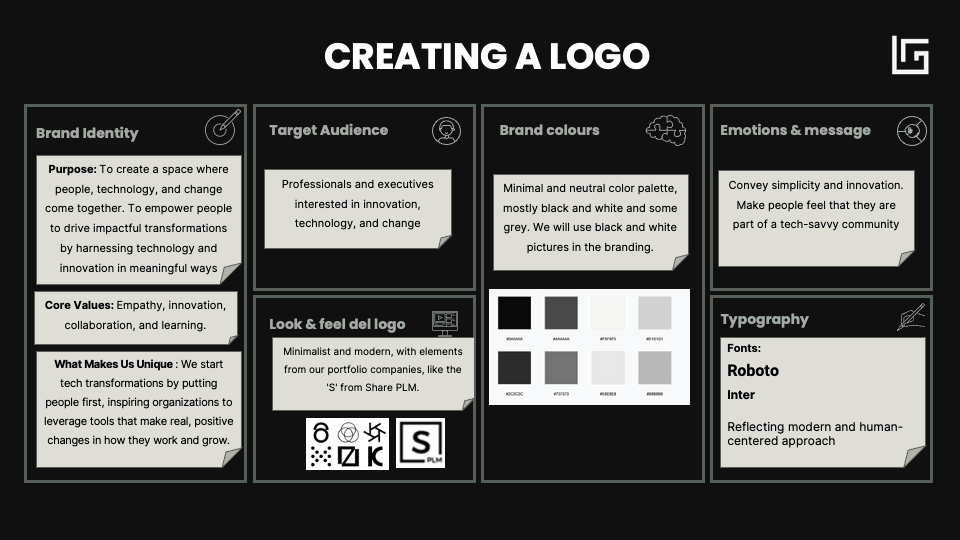
For Share Enterprises, we chose Roboto for the brand name, which adds strength and presence, and Inter for secondary texts, providing clarity and simplicity.
The combination of these fonts gives the logo a professional and modern feel, perfect for a corporate audience.
2. Creating Logo Options with an AI Prompt
In this step, we will use artificial intelligence to generate several versions of your logo, based on the information you defined in the brand identity canvas.
For this, you’ll need to create a prompt that describes the key visual elements you want to include in your logo, such as symbols, colors, and typography. You can use AI image generation tools like MidJourney or DALL·E to execute this prompt. The AI will create different logo proposals according to the directions you provide, allowing you to explore various creative options.
Here’s a generic prompt for creating logos with AI using the canvas as a basis:
Generic Prompt: “Design a modern and minimalist logo for [0. Brand Name], a brand that represents [1. key purpose and values of the brand]. The logo should include the image of [3. key visual elements, symbols, or metaphors] to symbolize [3. the concepts they represent]. Use a color palette that includes [4. specific brand colors]. The logo should convey a feeling of [5. desired emotions and messages], similar to the style of [reference or inspiring brand], with clean lines and elements like [3. additional graphic details or elements]. The typography should include [6. primary typography for the brand name] and [6. secondary typography for additional text].”
Prompt for Share Enterprises: “Design a modern and minimalist logo for Share Enterprises, a brand that relates to change, people and technology. The logo should include elements that reflect simplicity and innovation, such as geometric shapes. Use a minimal and neutral color palette, primarily black (#0A0A0A), gray (#4A4A4A), and some white (#F5F5F5), with accent colors like light gray (#D1D1D1). The logo should convey a sense of professionalism and modernity, emphasizing the connection between technology and community. Typography should include Roboto for the brand name and Inter for the secondary text, reflecting a modern and human-centered approach.”
Now plug this into an AI-image generator such as MidJourney or DALL·E and include your references as attachments.
These are the outputs I get from Midjourney:
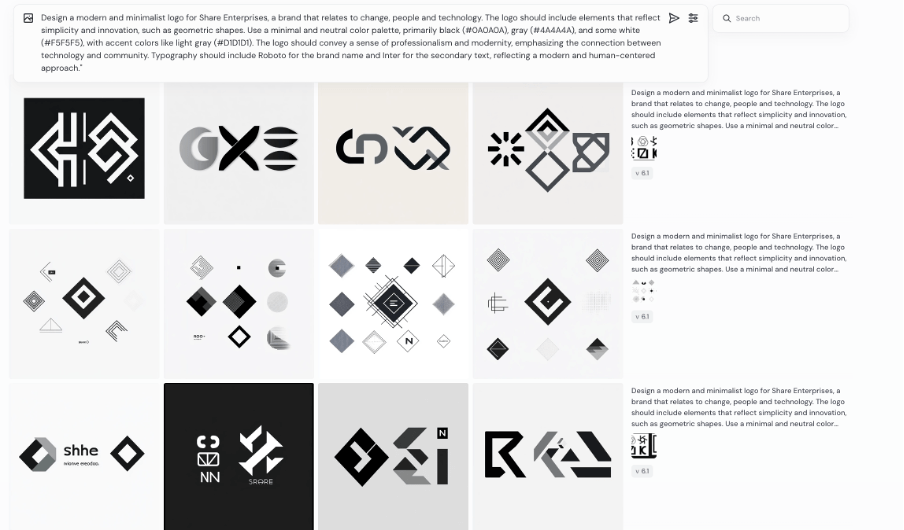
As you can see, I have made some variations, and I provided the reference images as a base for them to work with. You can also tweak the logo a bit in Midjourney and create variations once you find the direction you like. You can also erase elements and change the size in the editor.
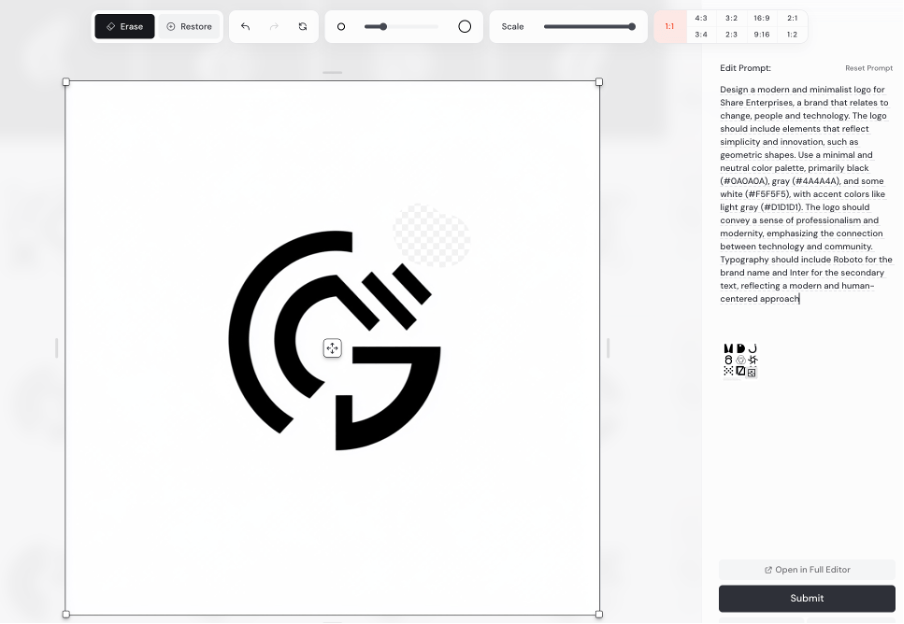
Output from Dall-e (intergrated in ChatGPT):
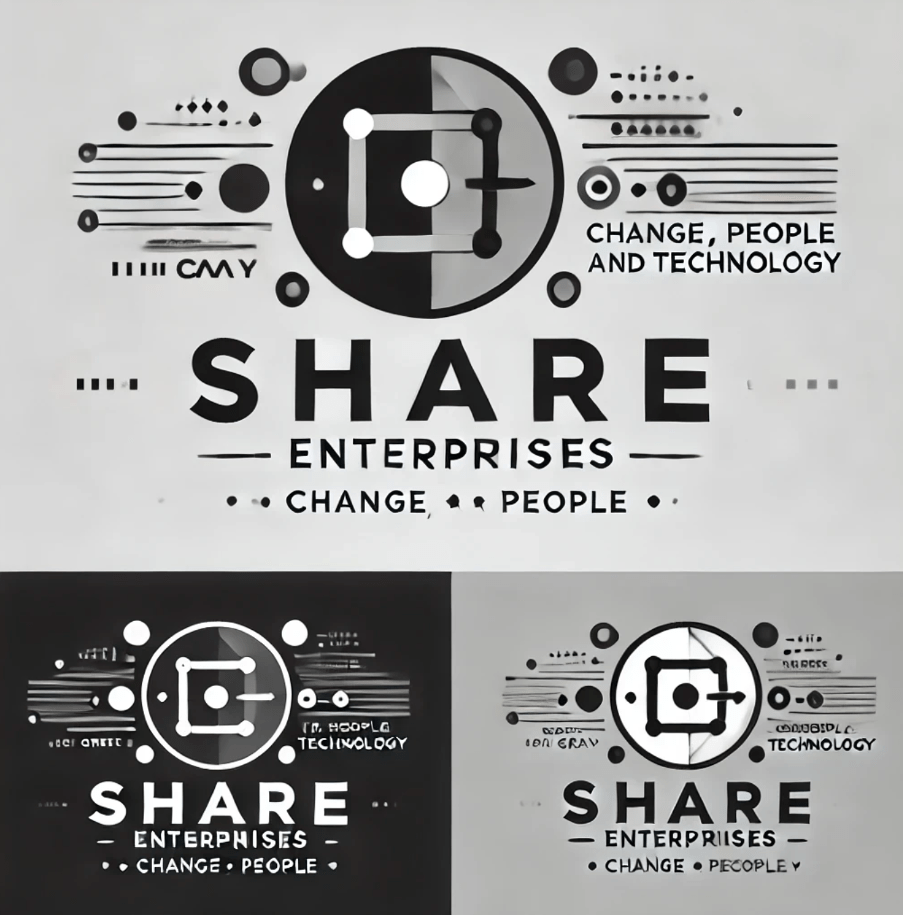
Midjourney are paid tools.
You can also use Bing, which has a free image generation tool that works wonderfully. Here’s the link:
https://bing.com/create
Look at the amazing ideas Bing gave me with this prompt:
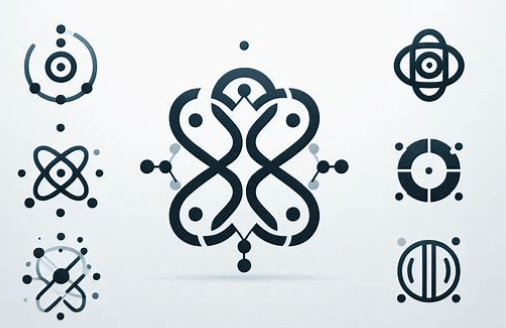
You can also use specific tools to generate logos with AI. These tools are specialized in creating custom logos with AI, such as:
Each one has its own features and advantages. Here’s a comparison of these tools for you:
| Tool | Pros | Contras |
| Logomaster.ai | Intuitive interface, advanced customization options | Higher price compared to some alternatives |
| Looka | Wide variety of styles, full brand design option. | Some premium features can be expensive |
| Tailor Brands | Offers additional branding services, good value for money | Fewer customization options than some competitors |
| Brandmark | Specialized in iconic-style logos, good color options. | May be less versatile for certain types of brands |
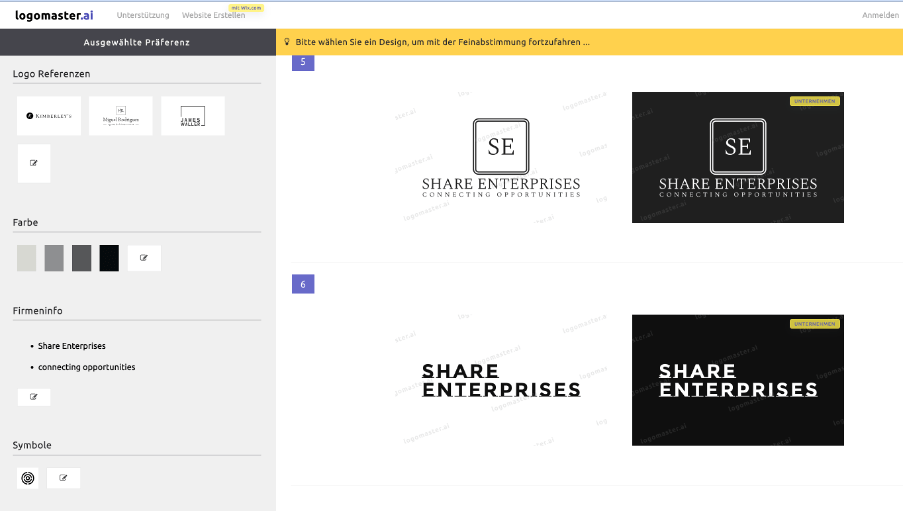
These tools have a visual interface, so you don’t need a prompt. Instead, they guide you through selecting visual elements and colors for your brand until you reach the final result. I tried using Logomaster.ai, and these are the options it provides:
3. Test and Gather Feedback:
Once you have the variants you like most, you can refine your design further with the AI.
When you have several AI-generated logo options, share them with your team, clients, or community to gather feedback. Ensure that the design meets expectations and evokes the emotions you defined in the canvas.
Finally, for our example, I decided to go with this option, which I created using Midjourney:
4. Adjusting the Format and Working on the Mockup:
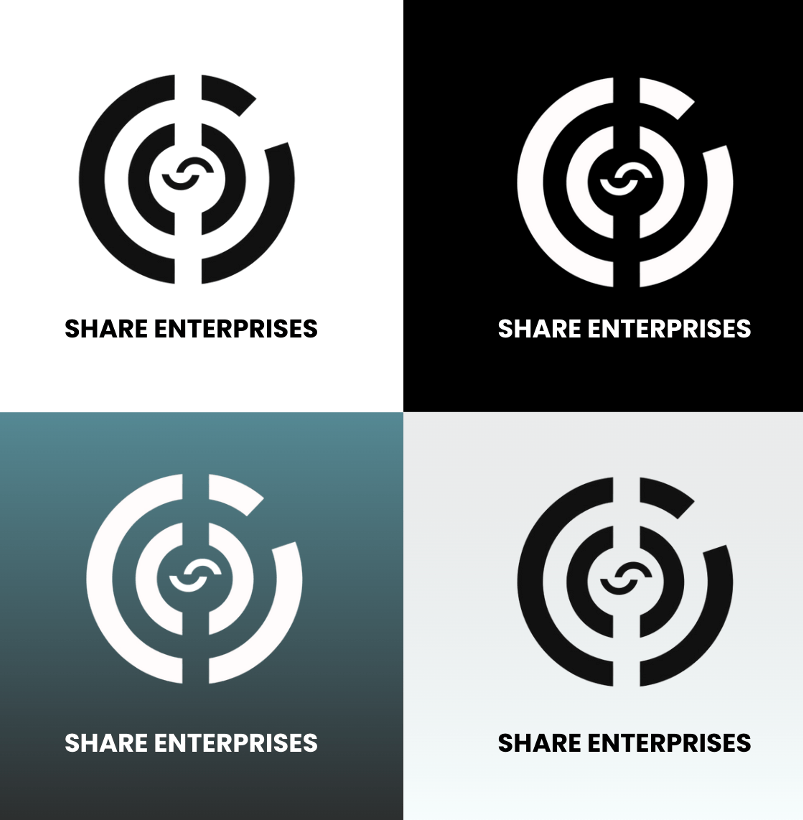
After receiving feedback, adjust your logo’s format using tools like Canva or Adobe. Make sure to create a version with a transparent background and apply your brand colors. Additionally, develop creative variations of the logo (different sizes, alternative colors, or monochromatic versions) that can be used across various materials such as presentations, websites, and social media.
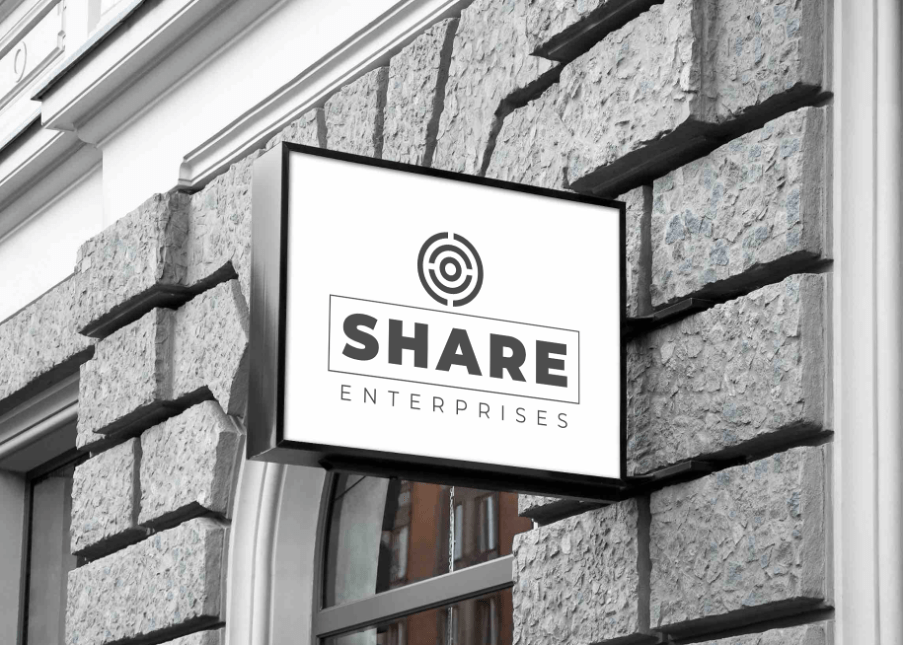
This will give you flexibility when using the logo in different contexts. This are the versions I have created for Share Enterprises:
Tips for Optimizing Your AI-Generated Logo
- Keep It Simple:
A simple logo is easier to remember and looks better across different sizes and formats.
- Ensure Scalability:
Your logo should look great whether on a business card or a billboard.
- Consider Color Psychology:
Choose colors that convey the right message about your brand.
· Experiment with Variations:
Don’t settle for the first option. Explore several ideas before making a decision. The advantage of AI is that you can create numerous prototypes quickly.
· Seek Feedback:
Share your final options with clients, friends, family, or potential customers to ensure your choice aligns with the image you want for your brand.
· Check for Originality:
Ensure your logo doesn’t resemble existing logos in your industry too closely.
Next Steps: Create a Logo with AI for Free (or Almost Free)
Creating a logo with AI is like having a designer in your pocket—without the exorbitant price or endless wait times.
Is it perfect?
No, it’s not.
Does it save you time, money, and headaches?
Absolutely.
So, are you ready to turn your idea into reality?
Try the process and some of the tools and prompts we’ve recommended. Let AI work its magic, and before you know it, you’ll have a logo that makes your brand stand out from the crowd.
Join the newsletter
Practical insights on AI, leadership and innovation — every week.